In the same few weeks this September, two of the platforms nearly every small business advertises on quietly changed how ad accounts work, and neither one sent out a clear public announcement. If you run Google Search ads, Meta rolled into your campaigns has changed. If you run Facebook or Instagram ads, one of the last manual controls you had over where those ads appear is being removed. Most business owners have no idea either of these happened, because the news arrived, if it arrived at all, buried in an email notification or a quiet line in a settings panel.
Here’s what actually changed, and what’s worth checking in your accounts this week.

Google: certain Search campaigns were auto-migrated to AI Max
Starting September 1, 2026, Google began automatically upgrading certain existing Search campaigns into AI Max, its AI-driven optimization suite, without a public blog post announcing it. The campaigns affected were specifically those already using campaign-level broad match settings and Automatically Created Assets. Google did send an email to advertisers in early August, but if that email went to an admin inbox nobody checks regularly (which is most small business ad accounts), it’s easy to have missed entirely.
AI Max itself isn’t a new campaign type. It’s an optimization layer that sits on top of your existing Search campaigns and bundles together three things:
Search term matching, which works similarly to broad match but goes further: Google’s AI can show your ad for queries that don’t contain any of your actual keywords, based on your landing page content and ad assets, if it decides the intent is relevant.
Text customization (formerly called Automatically Created Assets), where Google’s AI writes and swaps in its own headlines and descriptions based on your ads, landing pages, and other assets, sometimes replacing the exact copy you wrote.
Final URL expansion, where Google can send a click to a different page on your site than the one you specified, if its model predicts that page will convert better.
Google’s own data claims advertisers activating AI Max typically see 14% more conversions at a similar cost. That may well be true on average. It’s also Google’s own promotional statistic, measured on Google’s own terms, and it doesn’t tell you whether AI Max helps or hurts a specific campaign with a small budget and a narrow, considered audience, which describes a lot of small business advertising.
What’s worth checking: log into Google Ads and look at your Search campaigns for an “AI Max” label or toggle in the settings. If it’s been enabled without your action, you can turn off search term matching individually while keeping the rest, add exact-match copies of your important keywords if you want tighter control back, and review the “automatically created” assets under asset performance to see exactly what copy Google has been showing in your name.
Meta: manual placement exclusions are being removed
Separately, Meta has been rolling out a change that removes the ability to exclude individual placements, platforms, devices, or operating systems from an ad set. Until now, if you didn’t want your ad showing on Audience Network, or squeezed into a low-quality placement that never converted, you could simply exclude it. Reports of the control disappearing started surfacing in late August 2026, and as with Google’s change, Meta hasn’t published a clear announcement. Some of its own Help Centre documentation still described manual placement selection as available in the same week advertisers were reporting it gone. The rollout is gradual, so not every account has lost the option yet.
The replacement mechanism is called value rules, which let you adjust bids up or down by placement rather than switching a placement off entirely. The catch is the ceiling: value rules only let you reduce a bid by a maximum of 90%. You can make a placement expensive to win. You can’t make it impossible. Exclusion has effectively become suppression.
This isn’t an isolated change either. It’s the latest step in a pattern Meta has followed for over a year: detailed targeting exclusions were removed in January 2025, campaign-level placement exclusions were prohibited under the unified Advantage+ structure in February 2026, and the Instagram Explore Feed and Messenger Stories were removed as selectable ad placements entirely in July 2026. Meta’s justification is consistent throughout: its own data shows Advantage+ automated placements deliver an average 11.7% lower cost per action than manual placement selection.
What’s worth checking: if you still have the option, go into Ads Manager’s Advertising Settings, under Account Controls and Placement Controls, and set your exclusions at the account level rather than the ad-set level. Account-level controls appear to be surviving this change even as the ad-set-level option disappears, and setting them now, before the rollout reaches your account, is the closest thing to keeping the control you’re about to lose.
Why this matters beyond the specific settings
Both of these changes point at the same underlying shift. The platforms are increasingly confident that their own automation outperforms manual advertiser control on average, and they’re moving toward giving you less and less ability to override that automation, often with minimal warning. That may genuinely be the right call for a lot of advertisers, on average, most of the time. But “on average” is doing a lot of work in that sentence, and a small business running a tightly targeted, brand-conscious campaign on a limited budget is exactly the kind of advertiser who can get hurt by a system optimizing for volume rather than fit.
The practical lesson isn’t “panic and fight the automation.” It’s “know what changed before it spends your budget for you.” Both of these updates happened quietly enough that most business owners running their own ads simply won’t notice until a monthly report looks off, and by then the budget’s already spent.
This week’s checklist
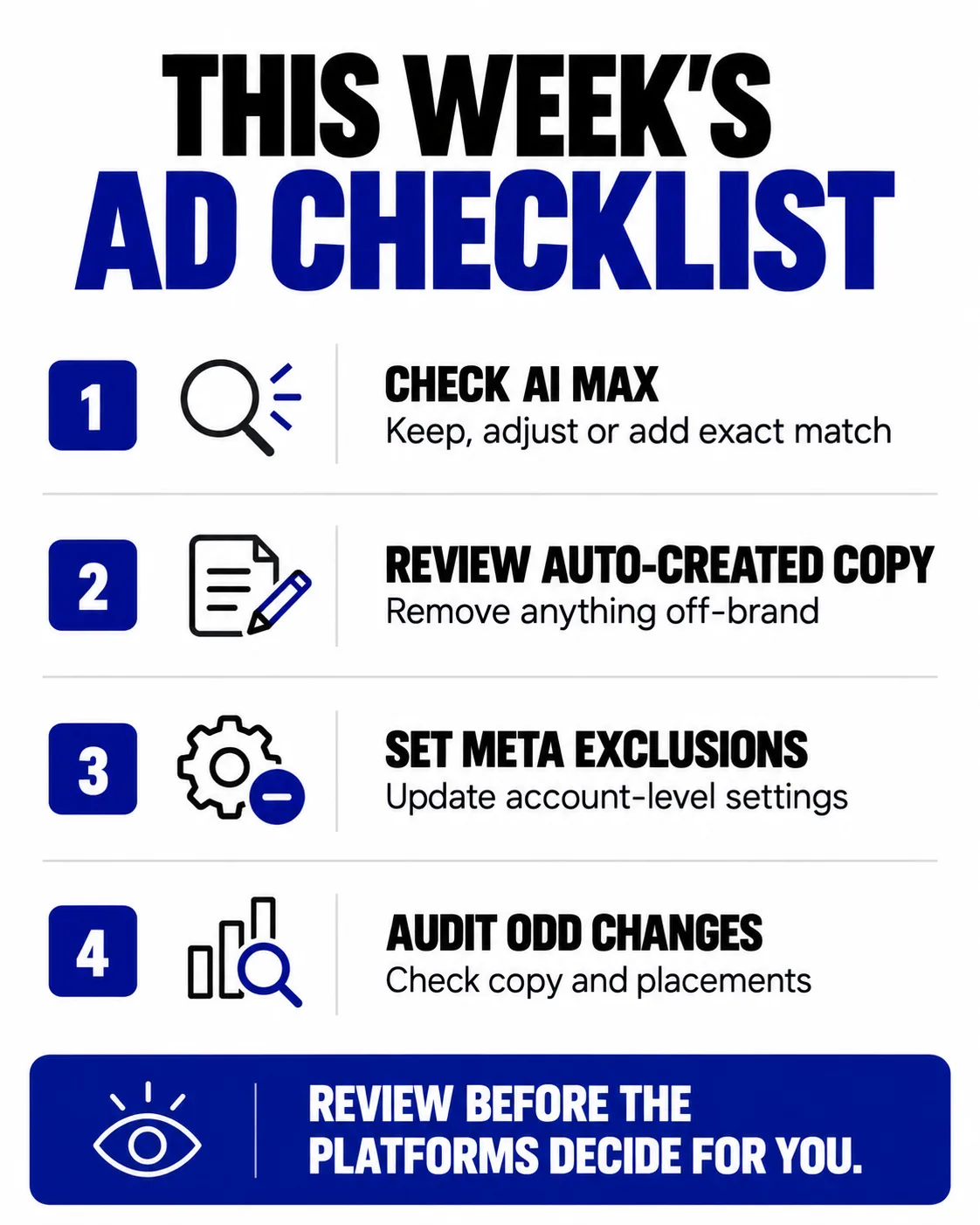
- Open Google Ads and check every active Search campaign for AI Max. If it’s been auto-enabled, decide deliberately whether to keep it on, adjust it, or add exact-match keyword copies for your most important terms.
- Review the “automatically created” text assets in your Google Ads account and remove anything that doesn’t sound like your brand.
- In Meta Ads Manager, set placement exclusions at the account level now, under Advertising Settings, before the ad-set-level option disappears from your account.
- If you’ve noticed unusual placements or oddly worded ad copy in either platform recently, this is almost certainly why.
How we can help
Platform changes like these are exactly why we keep a close eye on both Google and Meta account settings for every client we manage, not just the campaigns themselves. We’ll audit your current Google Ads and Meta accounts for exactly these kinds of quiet changes, lock down the controls that are still available before they disappear, and make sure your ad spend is doing what you actually intended rather than what a default setting decided for you. If you’re not sure what’s changed in your own accounts, book a free consultation and we’ll walk through it with you.
Marketing built for growth.